Blog

  • Side Hustles You Can Start With $0 in 2026

    Side Hustles You Can Start With $0 in 2026

    I’ll be honest — the first “side hustle” I ever tried cost me almost $200 in courses, tools, and a website theme before I made a single dollar back. It was a rough lesson, but it taught me something important: you don’t actually need money to start making money. You need the right idea, a bit of consistency, and the willingness to start small and messy instead of waiting for the “perfect” setup.

    That lesson matters even more in 2026, when there are more genuinely free tools, platforms, and marketplaces than ever before. If you’ve been searching for how to make money with no money, or scrolling through side hustles for beginners hoping to find something that doesn’t require upfront investment, this guide is exactly that — real, tested options you can start today with nothing but time and a device you probably already own.

    Why Zero-Investment Hustles Are More Realistic Than Ever

    A few years ago, “no investment” side hustles usually meant something vague and underwhelming — think survey sites paying pennies an hour. That’s changed. Free AI tools, free hosting options, and marketplaces with zero listing fees have made it genuinely possible to build something real without spending a cent upfront.

    At the same time, more people are actively looking for services and content from real individuals rather than big faceless companies, which opens the door for beginners willing to put in consistent effort. The barrier isn’t money anymore — it’s mostly patience and showing up regularly, even when results feel slow at first.

    What Actually Makes a $0 Side Hustle Work

    Before jumping into specific ideas, it’s worth understanding what separates the hustles that actually go somewhere from the ones that fizzle out after a week.

    • It uses skills or time you already have. The best starting point isn’t the trendiest idea — it’s the one that fits what you’re already decent at.
    • It has a realistic first income milestone. Waiting to “get rich” kills motivation fast. Aim for your first $20, then your first $100.
    • It doesn’t require you to fake expertise. Trying to sound like an expert before you are one usually backfires.
    • It rewards consistency over intensity. An hour a day for a month beats one exhausting weekend followed by burnout.

    Best Side Hustles to Start Today With No Investment

    1. Freelance Writing or Editing

    If you can write a clear paragraph, you can start pitching small freelance gigs today. Sites with free sign-ups let you build a portfolio from scratch, even using sample pieces you write yourself before landing your first paid client.

    Best for: People who enjoy writing, research, or explaining things clearly.

    Getting started tip: Write two or three sample pieces in a niche you know well (even unpaid) to use as portfolio proof for your first pitches.

    2. Selling Digital Products You Already Know How to Make

    Templates, printables, spreadsheets, or simple guides can be created with free tools like Canva or Google Sheets and sold on marketplaces with no upfront listing cost. This is one of the more realistic paths toward passive income with no money, since one product can sell repeatedly with zero extra effort per sale.

    Best for: People who enjoy organizing information or creating simple, useful templates.

    3. Social Media Management for Small Businesses

    Plenty of small local businesses have no real social media presence and no budget for an agency, but they’re often open to hiring someone affordable and reliable. You don’t need fancy tools — just consistency and a decent eye for what makes a post engaging.

    Best for: People comfortable with platforms like Instagram or TikTok who enjoy content planning.

    4. Virtual Assistant Work

    Virtual assistant roles cover everything from email management to scheduling to basic research, and many clients care more about reliability than formal credentials. Free job boards and freelance platforms make it easy to find beginner-friendly listings.

    Best for: Organized, detail-oriented people who don’t mind repetitive administrative tasks.

    5. Print-on-Demand (Without Buying Inventory)

    Print-on-demand platforms let you upload designs and only pay production costs when someone actually buys, meaning zero upfront investment. Free design tools make it possible to create simple, sellable designs even without artistic training.

    Best for: People with a creative eye, even without traditional design skills.

    6. Tutoring or Teaching What You Already Know

    If you’re strong in a subject, whether it’s math, a language, or even a hobby like guitar, free platforms and social media let you start offering lessons without any upfront cost. Word of mouth alone can build a steady client base surprisingly fast.

    Best for: People with existing knowledge in an academic subject, language, or skill.

    7. Reselling Free or Thrifted Items Online

    Starting with items you already own (or ones given away for free locally) and reselling them on marketplace apps costs nothing upfront and teaches valuable skills in pricing, photography, and customer communication.

    Best for: People who enjoy hunting for deals and don’t mind the back-and-forth of buyer messages.

    Quick Comparison: Best $0 Side Hustles for Beginners

    Side HustleStartup CostTime to First IncomeSkill Requirement
    Freelance Writing$01–3 weeksLow-Medium
    Digital Products$02–4 weeksMedium
    Social Media Management$02–6 weeksLow-Medium
    Virtual Assistant Work$01–3 weeksLow
    Print-on-Demand$03–6 weeksMedium
    Tutoring/Teaching$01–2 weeksMedium-High
    Reselling Items$0DaysLow

    Which Hustle Fits Your Situation Best

    If You Need Fast, Immediate Cash

    Reselling items you already own is the quickest realistic path, since it doesn’t depend on building an audience or portfolio first. You’re simply turning existing stuff into cash within days.

    If You Want Slow, Steady Passive Income

    Digital products and print-on-demand designs take longer to gain traction but can keep earning with minimal ongoing effort once they’re set up, making them a stronger long-term passive income with no money starting point.

    If You Want to Build Real Skills Alongside Income

    Freelance writing, virtual assistant work, and tutoring all build genuinely transferable skills, meaning the side hustle itself becomes a resume-worthy experience, not just quick cash.

    Step-by-Step: Starting Your Chosen Hustle This Week

    1. Pick one hustle, not three. Splitting attention across multiple ideas at once usually means none of them get enough consistent effort to gain traction.
    2. Set up free accounts on the one or two platforms that fit your choice. Don’t overthink which platform — pick the most popular option and start.
    3. Create your first piece of proof. A sample article, a mock social media post, a simple template — something that shows what you can do before you have paying clients.
    4. Reach out or list your first offer within 48 hours. Momentum matters far more than perfection at this stage.
    5. Track what’s working weekly. Simple notes on what got responses and what didn’t will save you weeks of guessing later.

    Common Mistakes Beginners Make With Zero-Investment Hustles

    • Jumping between different hustles every few days instead of giving one a real chance
    • Waiting until things feel “ready” instead of publishing or pitching imperfect first attempts
    • Underpricing so drastically that early clients devalue the work entirely
    • Ignoring basic profile or portfolio presentation, even when it costs nothing to improve
    • Quitting right before momentum usually builds, typically around the four to six week mark

    Tips for Making Your $0 Hustle Actually Stick

    • Treat your first month as a learning phase, not a income guarantee
    • Ask early clients or buyers for honest feedback, even if it stings a little
    • Reinvest early earnings into small upgrades only once you’ve validated demand
    • Build a simple system for tracking clients, sales, or content ideas from day one
    • Stay in one niche long enough to actually get good at it before branching out

  • How to Use AI for Affiliate Marketing in 2026

    How to Use AI for Affiliate Marketing in 2026

    A couple of years ago, I watched a friend spend an entire weekend writing one affiliate blog post. Research, drafting, editing, keyword checking — twelve hours for one article. Last month, I watched him do something similar in under ninety minutes, and the post outperformed most of his older ones. The difference wasn’t talent. It was that he finally figured out how to actually use AI as a partner in his workflow instead of a gimmick he half-trusted.

    That’s basically where affiliate marketing stands in 2026. AI hasn’t replaced the fundamentals — you still need real value, real trust, and real audience understanding. But it’s completely rewritten how fast and how efficiently you can get there. If you’re trying to figure out how to use AI for affiliate marketing without falling into the trap of generic, forgettable content, this guide walks through exactly that.

    Why AI and Affiliate Marketing Became Such a Natural Fit

    Affiliate marketing has always been a volume-and-quality game. You need enough content to capture search traffic, but each piece still needs to be genuinely useful, or readers bounce and Google notices. For years, that tension meant either grinding out mediocre content fast or producing great content painfully slowly.

    AI changed that math. Modern AI tools can handle the repetitive, time-consuming parts — outlining, drafting, keyword clustering, competitor research — while leaving the strategic parts (what actually helps your specific audience, which products genuinely deserve a recommendation) in human hands. The affiliates thriving in 2026 aren’t the ones outsourcing everything to AI blindly. They’re the ones who figured out exactly where AI should do the heavy lifting and where their own judgment still matters most.

    What AI Can Actually Help With in Affiliate Marketing

    Before diving into specific tools, it helps to separate what AI genuinely improves from what it just automates poorly.

    • Research and outlining. AI is excellent at summarizing competitor content, spotting content gaps, and structuring articles logically.
    • First-draft content. A rough draft you edit is far faster than a blank page, even if the final piece is heavily rewritten.
    • Keyword and topic clustering. AI tools can group related search terms far faster than manual spreadsheet work.
    • Product comparison content. Feeding AI specs and specifications to generate structured comparison tables saves serious time.
    • Repurposing content. Turning one blog post into social captions, email snippets, or video scripts becomes almost instant.

    What it’s still not great at replacing:

    • Genuine personal experience with a product
    • Nuanced trust-building with your specific audience
    • Ethical judgment about what to actually recommend
    • Catching subtle factual errors, especially with numbers or recent changes

    Best AI Tools to Boost Affiliate Income in 2026

    1. ChatGPT — Best All-Around Content Assistant

    Still the most flexible option for drafting reviews, comparison articles, and email sequences. It handles tone adjustments well, which matters if you’re writing for multiple niches with different audiences.

    Best for: Affiliates managing multiple content types across one or more niches.

    2. Surfer SEO (AI-Assisted) — Best for On-Page Optimization

    Surfer blends AI drafting with real-time SEO scoring, comparing your content against top-ranking pages for a given keyword. It’s particularly useful for affiliate content because ranking well is the entire game.

    Best for: Affiliates focused heavily on organic search traffic.

    3. Perplexity AI — Best for Fast, Sourced Research

    When you need quick, citation-backed research on a product niche you’re not deeply familiar with, Perplexity saves serious time compared to manual searching across a dozen tabs.

    Best for: Affiliates entering a new niche and needing a fast, credible knowledge base.

    4. Jasper AI — Best for Brand-Consistent Content at Scale

    Jasper’s strength has always been maintaining a consistent brand voice across large volumes of content, which matters a lot once you’re managing multiple affiliate sites or a content team.

    Best for: Affiliates scaling content production across several sites or writers.

    5. Canva AI Tools — Best for Visual Content

    Affiliate content isn’t just text. AI-assisted design in Canva speeds up creating comparison graphics, product roundup visuals, and social media promotion assets without hiring a designer.

    Best for: Affiliates who rely on Pinterest, Instagram, or visual-heavy blog layouts.

    6. Make (formerly Integromat) or Zapier with AI Steps — Best for Automation

    Connecting AI steps into automation workflows lets you handle repetitive tasks like publishing schedules, email follow-ups, and social reposting without manual work every single day.

    Best for: Affiliates ready to automate the operational side of their business, not just content creation.

    Quick Comparison: Top AI Tools for Affiliate Marketers

    ToolBest ForLearning CurveIdeal User
    ChatGPTGeneral content draftingLowBeginners to advanced
    Surfer SEOOn-page SEO optimizationMediumSEO-focused affiliates
    Perplexity AIFast, sourced researchLowNew niche researchers
    Jasper AIBrand-consistent scalingMediumTeams & multi-site owners
    Canva AIVisual content creationLowVisual/social-heavy affiliates
    Make/ZapierWorkflow automationMedium-HighEstablished affiliates scaling operations

    Step-by-Step: Using AI to Build an Affiliate Content Workflow

    Step 1: Start With Real Keyword and Audience Research

    AI should support your research, not replace understanding your audience. Use AI to cluster keywords and identify content gaps, but validate demand with actual search volume data and competitor analysis before committing hours to a topic.

    Step 2: Draft With AI, Then Add What Only You Know

    Let AI produce your rough structure and first draft, then layer in genuine experience — actual usage notes, honest pros and cons, specific details a generic AI draft wouldn’t know. This step is what separates content that ranks and converts from content that reads like everyone else’s.

    Step 3: Optimize for Both Search Engines and AI Overviews

    In 2026, ranking well means satisfying both traditional search algorithms and AI-generated overview summaries. That means:

    1. Answering the core question clearly near the top of the article
    2. Using structured headings that mirror how people actually search
    3. Including comparison tables and lists, since these get pulled into AI summaries more often
    4. Backing claims with specific, checkable details rather than vague generalities

    Step 4: Automate the Repetitive Operational Work

    Once your content engine is working, automate what doesn’t need a human touch — social reposting, email nurture sequences, internal link suggestions. This frees up time for the parts that actually move the needle: strategy, relationship building, and testing new content angles.

    Step 5: Review, Fact-Check, and Add a Human Layer

    Never publish AI-generated affiliate content without a careful review pass. Affiliate content lives or dies on trust, and one factual error about pricing, specifications, or availability can tank credibility fast.

    Common Mistakes Affiliates Make When Using AI

    • Publishing AI drafts with zero edits, resulting in generic, forgettable content
    • Recommending products purely because AI suggested them, without personal vetting
    • Ignoring E-E-A-T signals (experience, expertise, authority, trust) that Google increasingly rewards
    • Over-automating outreach and email sequences until they feel robotic and impersonal
    • Skipping fact-checking on pricing, specs, or availability, which erodes reader trust quickly

    Tips for Making AI-Generated Affiliate Content Actually Convert

    • Add genuine personal anecdotes or specific use-case details AI wouldn’t naturally include
    • Use real product images and screenshots instead of relying purely on AI-generated visuals for reviews
    • Keep comparison tables specific and honest, rather than vague marketing language
    • Update older AI-assisted content regularly, since pricing and product details change fast
    • Test different calls-to-action rather than assuming one AI-suggested phrase will work universally

    Who This Approach Works Best For

    If You’re Just Starting Out

    Focus on ChatGPT for drafting and Perplexity for research. Keep your content output modest but consistent, and prioritize learning your niche deeply before scaling volume.

    If You’re Managing Multiple Sites

    Jasper’s brand consistency features combined with Surfer’s SEO scoring becomes far more valuable once you’re producing content across several niches or working with freelance writers.

    If You’re Ready to Scale Operations

    Layering in automation tools like Make or Zapier alongside your content workflow frees up meaningful time, letting you focus on strategy and partnerships instead of daily repetitive tasks.

  • How to Create and Sell AI-Generated Art Online in 2026

    How to Create and Sell AI-Generated Art Online in 2026

    I still remember the first time I sold a piece of AI-generated art. It was a moody, oversaturated landscape that took me maybe four minutes to prompt, tweak, and export. Someone bought it as a phone wallpaper for less than the price of a coffee, and honestly, I felt a little ridiculous about how easy it was. Then I made another. And another. And somewhere along the way, what started as a weekend experiment turned into a genuine little side hustle.

    If you’ve been wondering whether an AI art business is actually realistic in 2026, or if it’s just another overhyped “make money online” trend, I get the skepticism. There’s a lot of noise out there. But there’s also a real, functioning AI art marketplace with actual buyers, actual demand, and actual income potential — you just need to know where to look and how to position yourself so you’re not lost in a sea of generic robot-cat images.

    This guide walks through exactly how to get started, where to sell, what actually sells, and the mistakes that quietly sink a lot of beginners before they even get going.

    Why AI Art Became Such a Popular Side Hustle in 2026

    A few things converged at once. AI image generators got dramatically better at handling detail, consistency, and style control, which means the output finally looks intentional instead of like a weird fever dream. At the same time, marketplaces and print-on-demand platforms opened their doors wider to AI-generated content, building dedicated categories instead of quietly banning it. And buyers themselves shifted — people got more comfortable with AI art as a legitimate creative medium rather than a gimmick.

    Add to that the fact that startup costs are almost nonexistent. No studio, no expensive software, no shipping inventory sitting in your garage. Just a laptop, a bit of creative direction, and patience while you figure out what actually sells.

    What You Actually Need to Get Started

    You don’t need to be a trained artist, but you do need a working understanding of a few basics:

    • A solid AI image generator. Tools vary in style strength, so pick one that fits the aesthetic you’re going for (photorealistic, painterly, anime, abstract, etc.)
    • Basic editing skills. Even simple touch-ups in free tools like Photopea or Canva can take a piece from “fine” to “actually sellable.”
    • An eye for what people want. This matters more than raw prompting skill. A gorgeous piece nobody wants to buy is just a nice desktop background.
    • Patience for trial and error. Your first ten pieces probably won’t sell. That’s normal, not a sign you should quit.

    Step-by-Step: How to Turn AI Art Into Income

    Step 1: Pick Your Niche Before You Pick Your Tool

    This is the step almost everyone skips, and it’s the biggest reason so many people give up early. “AI art” is an enormous category — pet portraits, fantasy landscapes, minimalist wall art, sci-fi concept pieces, nursery decor, motivational posters. Trying to do all of them at once dilutes your portfolio and confuses potential buyers about what you actually offer.

    Spend a week just browsing what’s already selling well in a category you’re drawn to, and get specific. “Fantasy landscapes” is fine. “Moody Nordic fantasy landscapes with warm lighting” is a brand.

    Step 2: Choose the Right Platform for Your Goals

    Not every platform suits every kind of art or every kind of seller. Some reward volume, some reward exclusivity, and some are better for building an audience than making quick sales.

    Step 3: Build a Small, Focused Collection First

    Rather than uploading fifty pieces across five styles, start with fifteen to twenty pieces in one clear style. It’s easier to market, easier for buyers to trust, and easier for you to refine as you learn what resonates.

    Step 4: Price for Where You Actually Are

    New sellers often either underprice out of nervousness or overprice out of hope. A more realistic approach is checking what similar quality pieces in your niche are already selling for, then pricing slightly below that until you build reviews and trust, gradually increasing from there.

    Step 5: Market Outside the Marketplace

    Relying purely on marketplace traffic is risky. A short-form video showing your creative process, a small Instagram or Pinterest presence, or even a simple newsletter can drive external traffic that marketplaces reward with better visibility.

    Best Places to Sell AI Artwork Online

    1. Etsy — Best for Print-Ready and Niche Decor

    Etsy remains one of the most beginner-friendly places to sell AI art, especially printable wall art, nursery decor, and personalized digital gifts. Buyers here are already used to digital downloads, which makes onboarding easier.

    Best for: Sellers focused on home decor, digital prints, and niche gift ideas.

    2. Redbubble / Society6 — Best for Passive, Print-on-Demand Income

    These platforms handle printing, shipping, and customer service, which means you just upload art and let the platform do the logistics. Margins are lower, but so is effort, making it a nice complement to other sales channels.

    Best for: Sellers who want a “set it and forget it” income stream alongside active selling elsewhere.

    3. Adobe Stock / Shutterstock — Best for Passive Licensing Income

    If your style leans toward clean, usable stock imagery rather than decorative art, licensing through stock platforms can generate slow but steady passive income over time, especially with a large, consistent portfolio.

    Best for: Sellers producing versatile, commercially usable imagery rather than decorative pieces.

    4. Your Own Website or Shopify Store — Best for Long-Term Branding

    Selling through your own store means higher margins and full control over branding, though it requires more upfront marketing effort. This route works best once you’ve validated demand elsewhere.

    Best for: Sellers ready to build a recognizable, repeatable brand rather than one-off sales.

    5. NFT and Digital Collectible Marketplaces — Best for Niche Collectors

    While the hype cooled significantly from its earlier peak, dedicated collector communities still exist for unique or limited-edition AI art pieces, especially tied to specific themes or artist branding.

    Best for: Sellers with a distinctive style and patience for a smaller, more niche audience.

    Quick Comparison: Top Platforms for Selling AI Art

    PlatformBest ForEffort LevelIncome Style
    EtsyPrintable art & digital giftsMediumActive sales
    Redbubble/Society6Print-on-demand productsLowPassive
    Adobe Stock/ShutterstockLicensing usable imageryLow-MediumPassive
    Own Website/ShopifyBranded, long-term businessHighActive + Passive
    NFT MarketplacesNiche collectorsMediumActive, unpredictable

    Which Approach Fits Your Situation

    If You’re Just Testing the Waters

    Start with Redbubble or Society6. Low effort, no upfront investment, and a decent way to learn what styles resonate without committing hours to marketing.

    If You Want Steady, Active Income

    Etsy tends to be the sweet spot — enough buyer traffic to get sales without needing your own audience, but enough control to build a recognizable shop.

    If You’re Building a Long-Term Brand

    Combine an Etsy or Shopify presence with consistent social content. This is slower, but it compounds — a small, loyal following becomes far more valuable than one-off marketplace sales over time.

    Common Mistakes That Sink AI Art Sellers Early

    • Uploading dozens of unrelated styles instead of building a cohesive collection
    • Ignoring image resolution and print requirements, leading to blurry or rejected products
    • Skipping keyword research on titles and tags, which tanks discoverability
    • Pricing purely based on gut feeling instead of checking comparable listings
    • Giving up after the first few weeks before algorithms have time to learn your shop

    Tips for Making Your AI Art Actually Sell

    1. Refine your prompts obsessively. Small wording changes can dramatically change composition and quality.
    2. Post consistently rather than in bursts. Marketplaces tend to reward steady activity over sporadic uploads.
    3. Use real mockups, not flat images. Buyers respond far better to seeing art in a frame, on a wall, or on a product.
    4. Read reviews on competing shops. They tell you exactly what buyers care about and what disappoints them.
    5. Diversify formats. The same design as a print, a phone wallpaper, and a greeting card multiplies its earning potential from a single creation.

  • Best AI Tools for Small Businesses in 2026

    Best AI Tools for Small Businesses in 2026

    Running a small business has always meant wearing ten hats at once. You’re the marketer, the bookkeeper, the customer service rep, and the person who remembers to restock printer paper — all before lunch. What’s changed in the last couple of years is that you no longer have to do all of that entirely on your own steam. AI tools for small business owners have quietly become the extra set of hands a lot of us never had budget to hire.

    I’ve spent a good chunk of this year testing, ditching, and re-testing different tools while helping a few small businesses get their operations in order. Some AI products are genuinely useful. Others are dressed-up chatbots with a shiny landing page. This guide is about the former — the best free AI tools for small businesses and a handful of affordable paid ones that are actually worth your time in 2026.

    No hype, no “AI will change everything overnight” nonsense. Just a practical look at what works, what it costs, and who it’s actually built for.

    Why Small Businesses Are Leaning on AI More Than Ever

    A few years ago, AI tools felt like something built for big companies with dedicated tech teams. That’s flipped. In 2026, most AI automation tools for small business are designed specifically for solo founders and lean teams — not enterprise IT departments.

    A few reasons this shift happened:

    • Costs dropped. Tools that used to require custom development are now available as $10–$30/month subscriptions, or even free tiers that cover real use cases.
    • No-code setup became the norm. You don’t need a developer to connect your AI tool to your email, calendar, or CRM anymore — most integrations take a few clicks.
    • Customer expectations changed. People expect quick replies, personalized marketing, and self-service support even from a five-person company. AI helps small teams meet that bar without burning out.
    • Competition got tighter. Larger competitors are already using AI to move faster. Small businesses that skip it risk falling behind on response times, content output, and operational efficiency.

    The honest answer to “how AI can help small businesses” isn’t some dramatic transformation — it’s mostly about getting back hours in your week that used to disappear into repetitive tasks.

    What to Look for Before You Adopt Any AI Tool

    Before you install another app or sign up for another free trial, it helps to filter for a few things:

    1. Does it solve an actual bottleneck? Don’t adopt a tool because it’s trendy — adopt it because a specific task is eating your time.
    2. Is the free tier genuinely usable, or just a teaser? Some “free” AI tools cap you at 5 uses a month, which isn’t useful for daily operations.
    3. Does it integrate with what you already use? A tool that doesn’t connect to your email, storefront, or accounting software creates more manual work, not less.
    4. How steep is the learning curve? If it takes three weeks to figure out, it’s probably not built for a small team with no time to spare.
    5. What happens to your data? Especially for tools handling customer info or financial data, check the privacy policy before committing.

    With that filter in place, let’s get into the categories that matter most.

    Best AI Tools for Small Business Marketing

    Marketing is usually the first place small business owners turn to AI, and for good reason — content creation is time-consuming, and consistency is what actually moves the needle.

    AI Content and Copywriting Assistants

    These tools help you draft social captions, product descriptions, email newsletters, and blog posts without staring at a blank page for an hour. The good ones in 2026 do more than autocomplete sentences — they understand brand voice, adjust tone, and can repurpose one piece of content into five formats.

    Best for:

    • Writing product descriptions at scale
    • Drafting email marketing campaigns
    • Creating social media captions and hashtag sets
    • Repurposing blog content into short-form posts

    AI Design and Visual Content Tools

    You don’t need a design degree (or a designer on payroll) to produce decent-looking graphics anymore. AI design tools can generate social media graphics, ad creatives, and even short promotional videos from a simple prompt or existing brand assets.

    Best for:

    • Social media graphics and ad creatives
    • Quick product mockups
    • Simple video ads and reels
    • Resizing content across platforms automatically

    AI SEO and Ranking Tools

    If you run a website or a blog for your business, AI-powered SEO tools now handle keyword research, content gap analysis, and on-page optimization suggestions in a fraction of the time manual research used to take.

    Best for:

    • Finding low-competition keyword opportunities
    • Auditing existing content for SEO gaps
    • Generating meta titles and descriptions
    • Tracking ranking changes over time

    Best AI Tools for Customer Service in Small Business

    Customer service used to mean either hiring more people or letting response times slip. AI chat and support tools have changed that math significantly.

    AI Chatbots and Live Chat Assistants

    Modern AI chatbots for small business don’t feel like the clunky, scripted bots from a few years back. They can answer FAQs, pull order status from your store, and hand off to a human only when needed — all while learning from your actual support history.

    Why they matter:

    • Customers get instant answers outside business hours
    • Repetitive questions (shipping times, return policy, pricing) get handled automatically
    • Your team only steps in for complex or sensitive issues
    • Response consistency improves, since the bot doesn’t have an off day

    AI Email and Ticket Management Tools

    For businesses that get a high volume of support emails, AI tools can now triage, categorize, and even draft response suggestions for your team — cutting response time significantly without adding headcount.

    Good use cases:

    • Automatically sorting support tickets by urgency or topic
    • Drafting first-response templates your team can quickly edit and send
    • Flagging angry or urgent customers for priority handling
    • Summarizing long email threads before a team member responds

    AI Voice and Phone Support Tools

    Voice AI has come a long way. Some small businesses — especially service-based ones like salons, clinics, and repair shops — now use AI phone assistants to handle appointment bookings and basic inquiries after hours.

    Best AI Tools for Small Business Accounting

    Bookkeeping is one of those tasks nobody enjoys but everyone needs done properly. AI tools for small business accounting have made a real dent here.

    What These Tools Actually Do Well

    • Automated expense categorization — no more manually sorting receipts into categories
    • Invoice generation and follow-up reminders — reducing the awkward “hey, did you get my invoice?” emails
    • Cash flow forecasting — spotting potential shortfalls before they become a crisis
    • Receipt scanning — snap a photo, and the AI extracts and logs the data automatically
    • Anomaly detection — flagging unusual transactions that might indicate errors or fraud

    Who Should Prioritize This Category

    If you’re still manually reconciling bank statements or tracking expenses in a spreadsheet with a dozen tabs, this is probably the highest-return category to start with. The time savings tend to be immediate and measurable — often several hours a month, depending on your transaction volume.

    Best Free AI Tools for Small Businesses (And What “Free” Really Means)

    A lot of tools market themselves as free, but the reality varies. Here’s how free tiers usually break down:

    • Genuinely free forever — limited features, but enough for a very small operation (e.g., basic chatbot templates, limited monthly AI writing credits)
    • Free trial, then paid — full features for 7–30 days, then a subscription kicks in
    • Freemium with usage caps — free up to a certain volume (e.g., 50 AI-generated images/month), then you pay per additional use

    For truly budget-conscious founders, the smartest approach is usually combining a few solid free tiers across categories — one for writing, one for design, one for customer support — rather than trying to find a single free tool that does everything. That single “does everything” tool almost always disappoints in at least one category.

    Comparison Table: Top AI Tool Categories for Small Business

    Tool CategoryBest ForTypical CostSetup DifficultyTime Saved
    AI Writing AssistantMarketing content, emailsFree–$30/moLow3–8 hrs/week
    AI Design ToolSocial graphics, ad creativesFree–$25/moLow2–5 hrs/week
    AI SEO ToolWebsite ranking, content strategy$20–$100/moMedium4–10 hrs/week
    AI ChatbotCustomer support, FAQsFree–$50/moMedium5–15 hrs/week
    AI Accounting ToolBookkeeping, invoicing$15–$60/moMedium3–10 hrs/week
    AI Voice AssistantPhone bookings, inquiries$30–$100/moMedium-High2–6 hrs/week

    Think of this table as a starting point for prioritization rather than a shopping list. Most small businesses see the best ROI by fixing their single biggest bottleneck first, rather than adopting five tools simultaneously.

    Affordable AI Tools for Startups: Where to Start on a Tight Budget

    If you’re bootstrapping and every dollar matters, here’s a sensible order of operations:

    1. Start with a free AI writing assistant to handle marketing content — this has the lowest setup cost and immediate visible output.
    2. Add a free-tier chatbot once your support inquiries start piling up, even before you can afford a premium plan.
    3. Move to a paid accounting tool once your transaction volume makes manual bookkeeping genuinely painful — this is usually where the ROI becomes obvious fastest.
    4. Invest in an SEO tool once you have consistent content output and want to make that content work harder for organic traffic.
    5. Consider voice AI or advanced automation only once your business has predictable, repeatable processes worth automating — trying to automate a process that changes weekly usually backfires.

    A rule that’s served me well: don’t pay for a tool until the manual version of that task is costing you more time (or money) than the subscription would.

    How AI Can Help Small Businesses Grow (Not Just Survive)

    It’s easy to think of AI tools purely as cost-cutting or time-saving measures, but the growth angle matters just as much.

    • Faster experimentation — you can test five ad variations or email subject lines in the time it used to take to write one
    • Better customer insights — AI tools can analyze support tickets, reviews, and sales data to surface patterns you’d otherwise miss
    • More consistent brand presence — regular content output (even when you’re busy) keeps your business visible instead of going quiet during crunch periods
    • Lower barrier to trying new channels — AI makes it more feasible to test video content, a new social platform, or a fresh marketing angle without hiring specialized help first

    The businesses that get the most value from AI tools to grow small business operations tend to treat AI as a force multiplier for decisions they were already making — not a replacement for strategy.

    Common Mistakes Small Business Owners Make With AI Tools

    • Adopting too many tools at once. This leads to subscription fatigue and half-used software nobody remembers how to log into.
    • Skipping the setup/training step. Most AI tools improve significantly once you feed them a few examples of your brand voice, FAQs, or past customer interactions.
    • Ignoring data privacy for customer-facing tools. If a chatbot or support tool handles customer information, check where that data is stored and how it’s used.
    • Expecting zero oversight. AI-generated content, responses, and financial categorizations still need a human check, especially early on.
    • Choosing tools based on hype rather than fit. The most talked-about tool on social media isn’t necessarily the right one for your specific workflow.

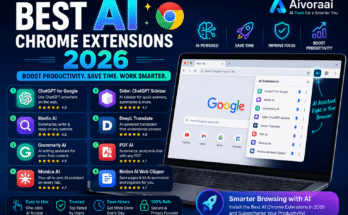
  • Top AI Chrome Extensions for Productivity in 2026

    Top AI Chrome Extensions for Productivity in 2026

    If your browser tabs have multiplied into a small ecosystem of their own — three Gmail tabs, a Notion doc, a half-written proposal, and a YouTube video you swore you’d only watch for “research” — you’re not alone. Most of us don’t need another app. We need our browser to actually work with us instead of just sitting there while we do all the thinking.

    That’s exactly where AI browser extensions have quietly taken over. Somewhere between 2023 and now, Chrome stopped being just a window to the internet and turned into a genuine workspace, thanks to a wave of AI Chrome extensions that summarize, write, organize, and automate without you ever leaving your tab. And in 2026, these tools aren’t a novelty anymore — they’re becoming as standard as an ad blocker.

    In this guide, I’ll walk you through the best AI tools for Chrome that are actually worth installing this year, why they’re blowing up right now, and how to pick the right ones without turning your toolbar into another cluttered mess. No fluff, no “10x your productivity overnight” nonsense — just a practical, honest look at what works.

    Why AI Browser Extensions Are Everywhere in 2026

    A few years ago, AI tools mostly lived in separate apps. You’d copy text out of your browser, paste it into ChatGPT, get an answer, then paste it back. It worked, but it was clunky — like using a calculator that lived in another room.

    That friction is basically gone now. Chrome extensions for work efficiency have matured to the point where AI sits inside the browsing experience: right-click to summarize an article, highlight a paragraph to rewrite it, or ask a sidebar assistant to pull data straight from the page you’re looking at.

    A few things pushed this shift:

    • Language models got cheaper and faster, so running AI features inside a lightweight extension no longer tanks your browser’s performance.
    • Remote and hybrid work stuck around, and people are managing more digital tasks solo — replying to emails, writing reports, researching vendors — without a team to lean on.
    • Browsers became the default workspace. Between web apps, SaaS dashboards, and cloud docs, most knowledge work now happens entirely inside Chrome tabs.
    • People are tired of app-switching. Every time you jump from your browser to a separate AI tool, you lose a few seconds and a bit of focus. Extensions eliminate that hop entirely.

    Put simply: AI extensions for Chrome solve a problem people didn’t even realize they had until they tried one and never went back.

    What to Look for in a Good AI Chrome Extension

    Not every AI extension deserves a permanent spot in your toolbar. Before installing anything, it’s worth checking for a few basics:

    1. Clear permissions. Does it need access to every site you visit, or just the ones you’re using it on? Be cautious of extensions that request broad data access without explaining why.
    2. Performance impact. Some extensions quietly eat RAM and slow your browser to a crawl. Good ones run lightly in the background.
    3. Privacy policy transparency. If you’re pasting sensitive work content into an AI tool, you want to know where that data goes and whether it’s used to train models.
    4. Actual usefulness for your workflow. A flashy AI extension that doesn’t fit how you actually work is just clutter — no matter how many five-star reviews it has.
    5. Update frequency. Chrome’s extension ecosystem moves fast. Tools that haven’t been updated in a year tend to break or fall behind.

    With that filter in mind, let’s get into the extensions actually worth your attention this year.

    Top AI Chrome Extensions for Productivity Right Now

    1. AI Writing Assistants for Chrome

    If there’s one category that’s exploded, it’s the AI writing extension for Chrome. These tools sit quietly in text boxes across the web — Gmail, LinkedIn, Slack, Google Docs — and offer real-time suggestions, tone adjustments, and full rewrites on demand.

    What makes the best ones stand out in 2026:

    • Context awareness — they read the surrounding text (an email thread, a document’s tone) instead of just correcting grammar in isolation.
    • Tone switching — turning a blunt message into something warmer, or a rambling paragraph into something crisp and professional, in one click.
    • Multilingual support — genuinely useful translation and localization, not just word-for-word substitution.

    These extensions are perfect for anyone who writes constantly but doesn’t love writing — think sales reps, support teams, freelancers, or anyone drowning in email.

    2. Page and Article Summarizers

    Ever open a 15-minute read when you only have 90 seconds? Summarizer extensions have become one of the quiet powerhouses of productivity Chrome extensions this year. You click the icon, and instead of skimming five paragraphs to find the point, you get a tight two-line summary or a handful of key bullet points.

    Where these genuinely shine:

    • Digesting long-form news or research articles quickly
    • Getting the gist of lengthy internal documentation
    • Prepping for meetings by skimming shared reports in seconds
    • Summarizing long email threads before replying

    The best ones let you choose the summary length and even ask follow-up questions about the page, which starts blurring the line between “summarizer” and “personal research assistant.”

    3. AI Research and Browsing Assistants

    This category is arguably the most transformative of the bunch. Instead of opening ten tabs to compare products, research a topic, or fact-check a claim, an AI research assistant extension does the digging for you — right there in the sidebar, referencing the page you’re currently on.

    Typical use cases:

    • Comparing specs or prices across multiple product pages without switching tabs
    • Pulling quick citations or sources while writing
    • Asking questions about a PDF or webpage without leaving it
    • Cross-referencing claims against other sources for quick fact-checks

    These tools are especially valuable for students, analysts, marketers, and anyone whose job involves constant information-gathering.

    4. Task and Workflow Automation Extensions

    Not everything AI does needs to be conversational. Some of the most useful Chrome extensions for work efficiency this year are the ones that quietly automate repetitive browser tasks — auto-filling forms intelligently, organizing tabs by project, or triggering actions based on page content.

    Good use cases include:

    • Auto-sorting and grouping tabs based on topic or task
    • Extracting structured data (prices, contacts, listings) from web pages into a spreadsheet
    • Scheduling and drafting responses across email and messaging platforms
    • Triggering reminders or follow-ups based on what’s on your screen

    If writing assistants save you time typing, automation extensions save you time clicking — and those minutes add up fast over a workweek.

    5. AI Meeting and Note-Taking Extensions

    With hybrid work still the norm in 2026, meetings haven’t gone anywhere — but manually taking notes during them increasingly has. AI note-taking extensions that plug into Chrome-based video calls (Google Meet, browser-based Zoom, etc.) can transcribe, summarize, and even extract action items automatically.

    This matters because:

    • You can actually focus on the conversation instead of scribbling notes
    • Action items get captured accurately instead of “I think someone said they’d handle it”
    • Searchable transcripts make it easy to revisit decisions later

    For teams juggling back-to-back calls, this single category alone can save hours every week.

    Comparison Table: Top AI Chrome Extension Categories

    Extension TypeBest ForKey BenefitLearning CurveIdeal User
    AI Writing AssistantEmails, docs, messagingFaster, cleaner writingLowProfessionals, freelancers
    Page SummarizerLong articles, reportsSaves reading timeVery lowStudents, researchers, busy readers
    Research AssistantBrowsing, comparisons, fact-checkingReduces tab-switchingMediumAnalysts, marketers, shoppers
    Automation ExtensionRepetitive browser tasksSaves manual clicking/typingMediumAdmins, ops teams, power users
    Meeting/Notes AssistantVideo calls, transcriptsHands-free note takingLowRemote teams, managers

    Think of this table less as “pick one winner” and more as a map of gaps in your current workflow. Most people end up running two or three of these categories side by side rather than relying on a single all-in-one tool.

    How to Choose the Right AI Extensions for Your Workflow

    There’s no single “best” AI Chrome extension — it really depends on what’s eating your time. Here’s a simple way to figure out where to start:

    • If your inbox is a mess → start with an AI writing assistant.
    • If you’re constantly reading long content → a summarizer will save you the most time.
    • If you’re doing repeated research or comparisons → a browsing/research assistant is worth the setup.
    • If you’re clicking through the same manual steps daily → look at automation extensions.
    • If your calendar is packed with calls → a meeting assistant pays for itself in week one.

    A good rule of thumb: install one at a time, actually use it for a week, and see if it earns a permanent spot before adding another. Extension overload is real, and it defeats the whole purpose.

    Quick Tips Before You Install Anything

    • Check reviews from the last few months, not just overall ratings. Extensions get updated (or abandoned) quickly, and old reviews may not reflect the current version.
    • Read what data the extension can access. If it doesn’t need to read every page you visit, it shouldn’t be asking to.
    • Avoid installing five AI extensions at once. Overlapping features can slow your browser and create confusing, duplicate suggestions.
    • Test on non-sensitive content first, especially with writing or research tools, until you’re confident in how they handle your data.
    • Keep Chrome and your extensions updated. Security patches matter more than ever as these tools get deeper access to your browsing.

  • Best AI Voice Generators & Text-to-Speech Tools in 2026 (Tested & Compared)

    Best AI Voice Generators & Text-to-Speech Tools in 2026 (Tested & Compared)

    I’ll be honest with you — the first time I fed a paragraph into an AI voice generator and heard it read back with actual breath pauses and inflection, I sat there for a solid minute just replaying it. That was maybe two years ago. Today, in 2026, the gap between “AI voice” and “real human voice” has basically closed for most everyday use cases, and it’s changed how I approach every video, podcast intro, and client project that crosses my desk.

    If you’ve been Googling around trying to find a realistic AI voice generator that doesn’t sound like a GPS unit reading your grocery list, you’re in the right place. I’ve spent weeks testing the current crop of tools — some free, some paid, some built for cloning your own voice — and I’m going to walk you through exactly which ones are worth your time in 2026, what they’re good at, and where they still fall short.

    Why AI Voice Generators Blew Up in 2026

    A few things converged at once. Video content exploded across every platform, remote teams needed narration for training material without hiring a studio, and the underlying neural TTS models finally got good enough that listeners stopped noticing the seams. Add in the fact that most people don’t have a soundproof room or a decent mic, and suddenly a text-to-speech app that sounds convincingly human is less of a novelty and more of a genuine production shortcut.

    There’s also a quieter reason: accessibility. Writers, educators, and businesses are using AI text-to-speech converter tools to turn written content into audio for people who prefer listening — or need to. That demand alone has pushed development forward faster than almost anything else in this space.

    What Actually Makes a Voice Generator “Good”

    Before jumping into recommendations, it helps to know what separates a great tool from a mediocre one. When I test these platforms, I’m listening for:

    • Natural pacing — does it breathe, pause, and stress words the way a person would, or does it just barrel through sentences?
    • Emotional range — can it sound excited, calm, serious, or is it stuck in one flat register?
    • Voice variety — accents, languages, gender range, age range
    • Cloning accuracy — if you upload your own voice sample, how close is the clone?
    • Ease of use — because nobody wants to fight a clunky dashboard
    • Pricing fairness — free tiers that are actually usable, not just teasers

    With that framework in mind, here’s where the major players land right now.

    The Best AI Voice Generators Right Now

    1. ElevenLabs — Still the Benchmark for Realism

    If you want the most natural sounding text-to-speech output available today, ElevenLabs is the one everyone else is measured against. The emotional inflection is genuinely impressive — it can whisper, sound tired, get excited — and its voice cloning feature is scarily accurate with just a short sample.

    Best for: creators, podcasters, audiobook narration, dubbing projects

    Things to know:

    • Free tier exists but is limited in monthly characters
    • Paid plans scale quickly if you’re producing a lot of content
    • Supports dozens of languages with solid accent handling

    2. Murf AI — Built for Business and Presentations

    Murf leans corporate in the best way. It’s less about dramatic acting and more about clean, professional narration for training videos, product demos, and presentations. The built-in editor lets you tweak pitch, pace, and emphasis right on the timeline, which is genuinely handy if you’re syncing voice to slides or video.

    Best for: marketing teams, e-learning, corporate video

    3. Play.ht — The All-Rounder with a Generous Free Plan

    Play.ht is one of the better options if you’re specifically hunting for a free AI voice generator that doesn’t cripple functionality. The free plan gives you real usable minutes, not just a demo taste, and the voice library is large enough that you’ll actually find something that fits your project.

    Best for: bloggers, small YouTube channels, people testing the waters before paying for anything

    4. Descript’s Overdub — For Editors Who Hate Re-Recording

    If you already edit video or podcasts, Descript’s voice cloning feature (Overdub) is a quiet game-changer. Mess up a sentence in your recording? Instead of re-recording the whole thing, you type the correction and it generates the fix in your own cloned voice. It’s one of the most practical examples of AI voice cloning software actually solving a daily annoyance rather than just being a party trick.

    Best for: podcasters, video editors, anyone doing voiceover corrections

    5. Speechify — Best for On-the-Go Listening

    Speechify is less “generate a voiceover” and more “turn anything into audio I can listen to while driving or walking.” As a text-to-speech app, it’s built around convenience — browser extension, mobile app, PDF and document support. If your goal is consuming content rather than producing it, this is the one to grab.

    Best for: students, readers, professionals converting documents to audio

    6. Microsoft Azure AI Speech — The Developer’s Choice

    For anyone building an app or product that needs text-to-speech baked in, Azure’s speech service remains one of the most flexible AI voice generator online platforms available via API. It’s not as plug-and-play as the consumer tools above, but the customization ceiling is much higher if you know your way around code.

    Best for: developers, SaaS products, custom integrations

    Comparison Table: Top AI Voice Generators in 2026

    ToolBest ForFree Plan?Voice CloningLanguagesStandout Feature
    ElevenLabsCreators, audiobooksLimitedYes, high accuracy30+Most realistic emotion & tone
    Murf AIBusiness, e-learningLimitedNo20+Timeline voice editor
    Play.htBeginners, bloggersGenerousYes140+Best free tier value
    Descript (Overdub)Podcast/video editingTrial onlyYesLimitedFixes voice mistakes in edits
    SpeechifyListening/accessibilityYesNo30+Reads PDFs, docs, web pages aloud
    Azure AI SpeechDevelopersPay-as-you-goYes100+Deep API customization

    How to Pick the Right One for You

    Rather than just chasing whichever tool is trending, ask yourself a few honest questions first.

    1. Are you producing content, or consuming it? If you’re narrating videos or podcasts, look at ElevenLabs, Murf, or Descript. If you just want your emails and articles read aloud while you cook dinner, Speechify wins.
    2. Do you need your own voice cloned? Only a handful of tools do this well. ElevenLabs and Descript currently lead here — both need just a short, clean audio sample to get a convincing clone.
    3. What’s your budget? If you’re testing the waters, start with Play.ht’s free tier or ElevenLabs’ limited free plan before committing to a paid subscription. Most platforms let you try before you buy, so use that.
    4. How important is multilingual support? If you’re creating content for a global audience, Play.ht and Azure both offer wide language coverage, which matters more than people expect once you start localizing content.

    Tips Before You Commit to a Subscription

    A few things I wish someone had told me before I burned through free trial credits testing tools blindly:

    • Test with your actual script, not the demo text the platform gives you. Voices behave differently with technical jargon, names, or casual slang.
    • Check character/minute limits carefully. A “free” plan that gives you 10,000 characters a month sounds generous until you realize that’s maybe two short YouTube scripts.
    • Download samples before locking in. Most platforms let you export a short clip even on free tiers — use that to judge audio quality on real headphones, not laptop speakers.
    • Read the commercial-use terms. Some cheaper plans restrict you from using generated voices in monetized content. Don’t find this out after you’ve already published something.
    • If cloning your own voice, record in a quiet room with a decent mic. Garbage input still means a slightly-off clone, even with good AI.

    Common Mistakes People Make with AI Voice Tools

    I see the same handful of missteps over and over:

    • Picking a voice based on the demo alone, without testing it on their actual content
    • Ignoring punctuation — TTS engines lean heavily on commas and periods to time pauses correctly
    • Using one flat voice for an entire long-form video instead of adjusting tone per section

  • Best AI Video Editing Tools in 2026: CapCut AI vs Runway vs Pika

    Best AI Video Editing Tools in 2026: CapCut AI vs Runway vs Pika

    If you’d told me three years ago that I’d be editing a full YouTube video from my phone while waiting for coffee, I probably would’ve laughed. But here we are in 2026, and honestly, AI video editing tools have gotten so good that the “laptop and six browser tabs” workflow feels like ancient history.

    I’ve spent the last few months bouncing between three tools that keep coming up in every creator group chat I’m part of: CapCut AI, Runway, and Pika. Each one has a different personality, if that makes sense. One’s the reliable friend who always shows up on time. One’s the ambitious artist who occasionally overpromises. And one’s the quirky experimenter who surprises you when you least expect it.

    This isn’t a dry feature comparison pulled from a press release. It’s what I’ve actually noticed after editing dozens of clips, reels, and short films with all three. Let’s get into it.

    Why AI Video Editing Blew Up in 2026

    A couple of things happened at once. First, short-form video didn’t slow down — if anything, platforms leaned harder into it, and creators simply don’t have time to manually cut, caption, and color-grade every single clip anymore. Second, the AI models behind text-to-video and auto-editing genuinely crossed a quality threshold. Stuff that looked like a melting wax figure in 2024 now looks like actual footage.

    There’s also a practical side to this. Freelancers, small business owners, and solo creators are being asked to produce more video content with smaller budgets. AI tools aren’t replacing skilled editors — they’re closing the gap for people who don’t have a full production team behind them.

    Quick Comparison Table

    Here’s the bird’s-eye view before we dig into each tool individually.

    ToolBest ForStandout FeatureLearning CurveFree Plan
    CapCut AIShort-form content, social mediaAuto-captions, templates, one-click editsVery easyYes, generous
    Runway AIFilmmakers, advanced creatorsGen-4 video generation, green screen AIModerate to steepLimited credits
    Pika AI (Pika Labs)Fun, experimental video generationFast text-to-video, stylized motionEasyLimited credits

    Keep this table in mind as you read — it’s basically the cheat sheet for the rest of the article.

    CapCut AI: The Editor That Feels Like It Was Built for Real Life

    I’ll be upfront — the CapCut AI video editor is probably the one most people should start with, especially if you’re making content for TikTok, Instagram Reels, or YouTube Shorts.

    What makes it click for me isn’t any single flashy feature. It’s that everything feels designed around how creators actually work. You upload a clip, and within seconds it’s suggesting captions, transitions, and even background music that fits the vibe of your footage.

    What CapCut AI Actually Does Well

    • Auto-captions that don’t need fixing. The speech recognition has gotten scary accurate, even with background noise or fast talkers.
    • AI-powered background removal. No green screen needed — it just knows.
    • Smart templates. You drop your clips in, and it reformats everything to match trending edit styles.
    • One-click reframing. Turning a horizontal video into a vertical one used to be a headache. Now it’s basically automatic.
    • Voice cloning and text-to-speech. Useful if you’re narrating but don’t want to record twenty takes.

    Who It’s Best For

    Honestly, almost everyone. If you’re a beginner, the templates carry you. If you’re an experienced editor, the automation just saves you time on the boring parts. It’s especially strong for:

    • Solo creators posting daily or several times a week
    • Small business owners making product videos
    • Anyone editing on a phone or tablet rather than a desktop

    A Few Honest Downsides

    It’s not built for cinematic storytelling. If you want deep color grading control or multi-track compositing like a traditional NLE, you’ll hit a ceiling. It’s a speed tool, not a precision tool.

    Runway AI: Where Things Start Feeling Like Movie Magic

    Now, Runway ML video editor is a different beast entirely. This is the tool that made a lot of indie filmmakers sit up and pay attention, and it’s the one I reach for when I want something that looks intentional rather than just quick.

    Runway’s generative video models (their Gen-series) let you type a description and get an actual video clip back. It’s not perfect — motion can still get a little uncanny in longer shots — but for B-roll, concept visualization, and stylized sequences, it’s remarkably capable.

    Standout Runway Features

    • Text-to-video generation. Describe a scene and get usable footage, often good enough for final cut, sometimes just great for previsualization.
    • AI green screen. Removes backgrounds from footage that was never shot on an actual green screen.
    • Motion brush. Lets you tell specific parts of an image how to move — this one genuinely feels like sci-fi the first time you use it.
    • Inpainting and object removal. Erase things from a shot without needing a VFX team.
    • Frame interpolation. Smooths out choppy footage or slow-motion shots.

    Who Should Use Runway

    • Independent filmmakers and video artists
    • Marketing teams that need concept videos fast
    • Anyone experimenting with AI-generated B-roll or stylized transitions
    • Creators who already know their way around editing software and want more creative control

    The Trade-Offs

    Runway has a steeper learning curve than CapCut. It’s also priced more like a professional tool — the free tier gives you enough credits to get curious, but you’ll likely upgrade once you’re hooked. And generation isn’t instant; complex clips can take a few minutes to render.

    Pika AI: The Fun One That Keeps Surprising Me

    Pika Labs’ video generator — often just called Pika AI — has this reputation for being the “fun sibling” in the AI video space, and I think that’s fair, though it undersells how useful it’s become.

    Where Runway leans cinematic, Pika leans expressive. It’s fast, it’s playful, and it’s shockingly good at stylized motion — think anime-style clips, surreal transformations, or dreamy transitions that would take hours to animate by hand.

    What Makes Pika Worth Trying

    • Speed. Generations come back quickly, which matters when you’re iterating on an idea.
    • Style range. From photorealistic to painterly to full animation, it handles a wide creative spectrum.
    • Lip-sync and character animation. Getting genuinely good for talking-head style content.
    • Simple prompt-to-video workflow. You don’t need technical knowledge to get a usable result on your first try.

    Best Fit For

    • Creators making stylized, artistic, or meme-adjacent content
    • People experimenting with AI storytelling or short animated clips
    • Musicians wanting quick visualizer-style videos
    • Anyone who wants to test an idea fast without committing to a full production

    Where It Falls Short

    Longer, coherent narratives are still tricky — Pika shines in short bursts more than sustained storytelling. And like Runway, credits run out faster than you’d expect once you start generating in bulk.

    How to Actually Choose Between Them

    Rather than picking a “winner,” I think the smarter question is: what are you actually trying to make?

    1. Posting daily social content? Go with CapCut AI. It’s fast, forgiving, and built for volume.
    2. Working on a short film, ad concept, or need cinematic B-roll? Runway gives you the most creative control.
    3. Want to experiment with stylized or animated visuals without a steep learning curve? Pika is the playground.

    A lot of creators I know actually use two of these together — CapCut for the final assembly and captions, Runway or Pika for generating specific shots they couldn’t otherwise film. There’s no rule saying you have to pick just one.

    When Should You Use Each Tool?

    Timing matters more than people think.

    • Early concept stage: Pika or Runway, since you’re just testing ideas and don’t need polish yet.
    • Mid-production, building your actual footage library: Runway, for consistent stylistic shots.
    • Final assembly and publishing: CapCut AI, because that’s where captions, pacing, and platform formatting come together.

    If you’re on a deadline, start with CapCut. Its automation genuinely gets you to a finished product the fastest, even if the results are a little less “cinematic.”

    Is It Good for Beginners, Solo Creators, or Teams?

    • Total beginners: Start with CapCut AI. The learning curve is close to zero, and the templates do a lot of the thinking for you.
    • Solo creators building a personal brand: CapCut for consistency, with occasional Pika clips to keep content visually fresh.
    • Small teams or agencies: Runway earns its price tag here — the control and quality are worth the investment when clients are involved.
    • Hobbyists just having fun: Pika, hands down. It rewards curiosity more than technical skill.

    Booking and Subscription Tips

    A few things I wish someone had told me before I started paying for any of these:

    1. Test the free tier seriously before upgrading. All three offer enough free usage to judge fit — don’t skip this step just because a tool is trending.
    2. Watch your credit usage on Runway and Pika. Generative video eats credits fast, especially at higher resolutions or longer durations.
    3. Look for annual pricing once you’re sure. Most of these tools quietly offer better per-month rates if you commit annually.
    4. Check export resolution limits on free plans. Some free tiers watermark or cap resolution, which matters if you’re publishing professionally.
    5. Re-check pricing pages every few months. AI tools in this space update pricing and credit systems often — what was true last quarter might not be true now.

  • Best Free AI Tools for Students in 2026: Study Smarter, Not Harder

    Best Free AI Tools for Students in 2026: Study Smarter, Not Harder

    Hey there, fellow night owls and last-minute crammers! If you’re a student in 2026, you already know the drill. Between lectures, assignments, exams, and trying to have some kind of social life, time feels like it’s slipping through your fingers. The good news? Free AI tools have finally matured enough to actually help instead of just sounding fancy in headlines.

    I’ve spent the last few years juggling college (and now helping my younger cousins through high school), testing dozens of these tools on real assignments, research papers, and those brutal all-nighters. This isn’t some generic list pulled from a marketing page. These are the ones that genuinely saved me hours and, more importantly, helped me understand the material better.

    Whether you’re in high school trying to survive finals, in college battling tough STEM courses, or anywhere in between, these free AI tools can level up your studying game without costing a single rupee (or dollar).

    Why AI Tools Matter for Students in 2026

    Education hasn’t gotten any easier, but the tools available have. Professors expect more critical thinking, while the volume of information has exploded. AI helps bridge that gap by handling the repetitive stuff so you can focus on actually learning.

    The best part about 2026? Many powerful models now have generous free tiers specifically designed with students in mind. Google, OpenAI, and others are competing hard, which means you get better quality for free. No more paying for basic features that should be standard.

    Top Free AI Tools for Students This Year

    Let me walk you through my personal favorites, grouped by what they do best.

    1. NotebookLM – Your Personal Study Companion

    If I could only keep one AI tool, it’d probably be Google’s NotebookLM. It’s like having a super-smart study buddy who actually reads all your materials.

    Upload your lecture notes, PDFs, textbooks, or even YouTube links, and it creates:

    • Audio overviews (those “podcast” style summaries are addictive)
    • Study guides
    • Flashcards
    • Timelines and mind maps

    Why students love it in 2026: It stays grounded in your sources instead of hallucinating random info. Perfect for high school history papers or college literature reviews. The free version handles multiple notebooks and gives you enough usage for daily studying.

    Pro tip: Generate the “Audio Overview” before bed – it’s weirdly effective for passive learning.

    2. Google Gemini – The All-Rounder

    Gemini (especially the advanced version available for free to many students) has become incredibly capable. It handles math, coding, writing, and research with ease.

    For high school students, it’s great for explaining concepts in simple terms. College folks use it for debugging code, analyzing literature, or even planning research projects.

    Best features for students:

    • Deep Research mode (great for sourcing papers)
    • Integration with Google Docs and Slides
    • Image analysis (upload a diagram and get explanation)

    Many universities now offer enhanced free access, so check if your .edu email unlocks more.

    3. ChatGPT (Free Tier) – The Creative Tutor

    Even with all the new players, ChatGPT remains a staple. The free version in 2026 is smarter than ever.

    Use it for:

    • Breaking down complex topics
    • Generating practice questions
    • Essay outlines and brainstorming
    • Language practice

    High school tip: Ask it to explain concepts “like I’m 15” for better clarity. College tip: Use custom instructions to match your professor’s preferred style.

    4. Perplexity AI – Research Without the Headache

    Tired of scrolling through 20 tabs for one assignment? Perplexity acts like a smart search engine that cites sources and summarizes findings.

    It’s excellent for literature reviews, current events papers, or science projects. The free tier gives plenty of Pro searches daily.

    5. Grammarly (Free) + QuillBot – Writing Wingmen

    No more embarrassing typos or awkward phrasing.

    • Grammarly Free: Catches grammar, suggests tone improvements, and now has better plagiarism checks.
    • QuillBot: Paraphrasing, summarizing, and citation help – perfect when you need to rewrite without losing meaning.

    Together, they help your writing sound professional without hours of editing.

    6. Wolfram Alpha – The Math & Science Genius

    Still one of the best for STEM students. It doesn’t just solve equations; it explains steps and shows related concepts.

    Whether you’re doing calculus, physics, chemistry, or statistics, Wolfram Alpha remains unmatched for computational intelligence.

    7. Claude (Free Tier) – The Thoughtful Writer

    Anthropic’s Claude excels at long-form reasoning and careful writing. Great for philosophy essays, ethics discussions, or any assignment needing nuance.

    It tends to be more cautious and accurate compared to some other models.

    8. Other Noteworthy Free Tools

    • Mindgrasp / StudyFetch: Upload lectures for automatic notes, quizzes, and flashcards.
    • Notion AI: If you already use Notion, its AI features help organize everything.
    • Gauthmath or similar: For quick math problem solving with steps.

    Comparison Table: Best Free AI Tools for Students 2026

    ToolBest ForKey StrengthsLimitations (Free Tier)High SchoolCollegeOverall Score
    NotebookLMAll-in-one studySource-grounded, audio summariesUsage limits on uploadsExcellentExcellent9.5/10
    Google GeminiResearch & EverythingDeep integration, multimodalDaily limitsVery GoodExcellent9.2/10
    ChatGPTCreative & General HelpConversational, versatileSlower on complex tasksExcellentVery Good8.8/10
    PerplexityResearchCitations, accurate summariesSearch limitsGoodExcellent9.0/10
    Grammarly + QuillBotWritingPolish & paraphrasingAdvanced features paidExcellentExcellent8.7/10
    Wolfram AlphaMath & ScienceStep-by-step solutionsLess helpful for writingExcellentExcellent9.3/10
    ClaudeDeep Thinking & EssaysNuanced responsesUsage capsGoodExcellent8.9/10

    How to Build Your Perfect Free AI Study Stack

    Don’t try using everything at once. Here’s a simple setup that works for most students:

    For High School Students:

    1. NotebookLM for summarizing textbooks
    2. Gemini or ChatGPT for explanations
    3. Grammarly for assignments
    4. Wolfram Alpha for math homework

    For College Students:

    1. Perplexity + NotebookLM for research
    2. Claude for essay drafting
    3. Gemini for coding/projects
    4. Specialized tools for your major (e.g., coding assistants for CS)

    Smart Usage Tips (Because AI Isn’t Magic)

    The biggest mistake students make is treating AI like a cheat sheet. Here’s how to use it responsibly:

    • Always verify important facts, especially for exams or papers.
    • Use AI to understand, not just copy. Ask it to explain its reasoning.
    • Combine tools – feed NotebookLM output into Gemini for deeper analysis.
    • Create your own prompts. Specific prompts like “Explain this concept using analogies from [your favorite subject]” work wonders.
    • Track what works for your learning style. Some people thrive with audio summaries, others prefer visual mind maps.

    Privacy and Ethics in 2026

    Most tools have improved privacy, but be careful with sensitive assignments. Don’t upload anything that could be considered academic dishonesty. Many universities now have clear AI policies – know yours.

    The goal should always be learning, not shortcuts.

    Real Student Results I’ve Seen

    One of my cousins was struggling with biology. After using NotebookLM to turn her chaotic notes into organized guides and practice quizzes, her grades jumped nearly 20%. Another friend used Perplexity and Claude together for a major research paper and got an A- while spending half the usual time.

    These tools don’t replace effort, but they remove a lot of frustration.

  • Best AI Writing Tools 2026: Jasper vs Copy.ai vs Claude (Which One Actually Deserves Your Money?)

    Best AI Writing Tools 2026: Jasper vs Copy.ai vs Claude (Which One Actually Deserves Your Money?)

    I’ve spent way too many late nights this year bouncing between AI writing tabs, trying to figure out which one earns a permanent spot in my workflow and which one is just… fine. If you’ve typed “best AI writer for blogs” into Google recently, you already know the search results are a mess of affiliate posts that all say the same three things and none of them tell you what actually happens when you’re staring down a deadline at 11 PM with a half-finished draft.

    So here’s the honest version. I tested Jasper, Copy.ai, and Claude side by side on real work — blog posts, product descriptions, email sequences, even a stubborn technical explainer that kept coming out sounding like a robot wrote it (ironic, I know). This is what I found, warts and all.

    Why AI Writing Tools Are Everywhere in 2026

    It’s not just hype anymore. Content teams are smaller than they were three years ago, budgets are tighter, and Google’s Helpful Content system has gotten a lot better at sniffing out thin, recycled writing. That combination pushes people toward AI tools that can actually help with strategy and structure, not just spit out generic paragraphs.

    A few things changed the game this year specifically:

    • Brand voice training got genuinely good. Tools can now hold onto your tone across dozens of pieces instead of drifting back to “AI-sounding” defaults after two paragraphs.
    • Long-context models changed what’s possible. Feeding an entire style guide, past articles, or a 40-page product spec into a single prompt used to be a pipe dream. Now it’s routine.
    • Teams stopped treating AI writing as a novelty. It’s baked into content calendars, SEO workflows, and even sales enablement docs.
    • Search itself changed. With AI Overviews now shaping a huge chunk of results, writers need content that’s structured, specific, and genuinely useful — not just keyword-stuffed filler that used to scrape by on volume alone.

    That’s the backdrop for this whole comparison. None of these three tools are “cheating” anymore. They’re just tools, and like any tool, some are better suited to certain jobs.

    Quick Comparison Table: Jasper vs Copy.ai vs Claude

    FeatureJasper AICopy.aiClaude
    Best forBrand-consistent marketing content, teamsFast short-form copy, GTM workflowsLong-form writing, nuanced editing, research-heavy content
    Starting price (paid)Around $59/month (Pro, billed annually)Around $29–$49/month depending on planFree tier available; paid plans roughly $20+/month
    Free planNo permanent free plan, 7-day trial onlyYes, limited word countYes, with usage limits
    Brand voice trainingStrong, built specifically for thisDecent, improves with useAchievable via custom instructions and project docs
    Long-form blog writingGood, especially with Canvas editorOkay, often needs heavy editingExcellent, holds structure and nuance over long pieces
    Team collaborationStrong on Business planStrong on Growth/Enterprise tiersLimited native collaboration, more of a writing partner
    Learning curveModerate to steep with all the templatesLow, beginner-friendlyLow, feels like chatting with a smart editor
    Ideal userMarketing teams and agenciesSolo marketers, small teams needing speedBloggers, writers, and anyone who wants quality over volume

    Keep in mind pricing on all three shifts fairly often, so treat these as ballpark figures and check the current pricing pages before you commit.

    Jasper AI Review: The Marketing Team’s Workhorse

    Jasper has been around since the early GPT-3 days (back when it was called Jarvis), and it still feels like the tool built for people running actual marketing operations rather than solo bloggers dabbling in AI.

    What Jasper Does Best

    Jasper’s whole pitch is consistency at scale. <cite index=”3-1″>The Pro plan gives you advanced AI features for creating content across multiple brands and collaborating on campaigns</cite>, and that’s really the point — if you’re managing five client accounts or a handful of product lines, Jasper wants to keep each one sounding distinctly like itself.

    A few standout features:

    1. Brand Voice and Knowledge Assets – you feed it your existing content, and it starts matching your tone instead of defaulting to generic “AI voice.”
    2. Canvas editor – a proper document workspace, not just a chat window, which makes long-form editing far less painful.
    3. Marketing-specific templates – ad copy, landing pages, email sequences, the whole funnel is covered.
    4. Browser extension – handy for writing inside Gmail or Google Docs without switching tabs constantly.

    Jasper Pricing

    <cite index=”3-1″>The Pro plan runs $59/month billed yearly or $69/month billed monthly</cite>, and <cite index=”4-1″>it’s built for solo users, with one seat, the Canvas editor, a couple of Brand Voices, and a handful of Knowledge assets</cite>. If you need more than one seat, you’re moving into Jasper’s <cite index=”4-1″>custom Business plan, where procurement data suggests deployments can run from several hundred to several thousand dollars a month depending on team size</cite>. There’s <cite index=”4-1″>a 7-day free trial, though it requires card details upfront and rolls into paid billing automatically if you don’t cancel</cite>.

    Jasper Pros and Cons

    Pros:

    • Genuinely strong at keeping brand voice consistent across a whole team
    • Canvas editor beats most chat-only competitors for long-form work
    • Solid template library for every stage of a marketing funnel

    Cons:

    • No free plan anymore, just the trial
    • Pricier than most alternatives once you add a second seat
    • Can feel template-heavy and a bit rigid if you’re a solo blogger who just wants to write

    Best for: in-house marketing teams and agencies juggling multiple brands who need consistency more than raw flexibility.

    Copy.ai Review: Fast, Friendly, Built for Speed

    Copy.ai started as a scrappy short-form copy generator and has since rebuilt itself into more of a go-to-market platform, but the writing core is still there and it’s still one of the friendliest AI tools to pick up cold.

    What Copy.ai Does Best

    If Jasper is the marketing department’s tool, Copy.ai feels like the one built for the person who just needs a draft now. The interface doesn’t demand much ramp-up time, and the chat-style workflow makes it approachable for people who’ve never touched an AI writing tool before.

    Standout features:

    • Multi-model access – Copy.ai blends several underlying models rather than locking you into one, which shows up as more varied phrasing across outputs.
    • 90+ templates for everything from product descriptions to social captions
    • Workflow automation for teams that want to go from keyword to published draft with less manual handoff
    • Free entry point for anyone who wants to test the waters without a credit card

    Copy.ai Pricing

    Copy.ai has restructured its pricing more than once this year, so numbers you find online won’t always match. Broadly, entry-level paid access sits <cite index=”18-1″>around $29/month for a Chat plan that includes multiple seats and access to a mix of underlying AI models</cite>, while <cite index=”13-1″>a more traditional Pro tier with unlimited words and brand voice training runs about $49/month, or roughly $36/month if billed annually</cite>. Beyond that, <cite index=”18-1″>the jump to workflow automation and larger team plans lands closer to $1,000/month</cite>, which is a steep gap if you’re a small team trying to scale gradually.

    Copy.ai Pros and Cons

    Pros:

    • Easiest of the three to pick up with zero learning curve
    • Genuinely useful free tier for casual or occasional writers
    • Fast for short-form content — ads, captions, product blurbs

    Cons:

    • <cite index=”18-1″>Output on longer-form content often needs heavier editing, with reviewers pointing out hallucinations and awkward phrasing on extended pieces</cite>
    • Big pricing gap between the cheap plan and the team plans, with little in between
    • Not really built for deep, research-driven blog writing

    Best for: solo marketers, small businesses, and anyone who wants quick, serviceable short-form copy without a steep setup process.

    Claude AI for Writing: The One That Actually Sounds Like a Person

    I’ll be upfront about my bias here — Claude is the tool I reach for when I actually care about how a piece reads, not just whether it exists. It’s not marketed as a “writing tool” in the same way Jasper and Copy.ai are; it’s a general AI assistant. But for anyone doing serious blog writing, essays, or editing work, that generalist nature turns out to be a real advantage.

    Why Claude Works So Well for Writers

    Claude doesn’t come loaded with templates, and that’s kind of the point. Instead of picking a “blog post generator” from a menu, you just talk to it the way you’d brief a smart, well-read collaborator. A few things that stand out:

    1. It holds context over long pieces. You can paste in a full outline, past articles for tone reference, or research notes, and Claude keeps track of all of it instead of losing the thread halfway through.
    2. It pushes back. Ask it to punch up a weak section or flag where an argument doesn’t hold together, and it’ll actually tell you, rather than just agreeing and rewriting the same thing with different adjectives.
    3. It’s less formulaic. Because it isn’t built around rigid templates, the output tends to avoid the repetitive sentence patterns and stock phrases that make AI writing easy to spot.
    4. It’s genuinely useful for editing, not just drafting. Feed it a rough human draft and ask for a structural edit, and it’ll reorganize, tighten, and flag inconsistencies rather than just paraphrasing everything.

    Claude Pricing and Access

    Claude is available through a free tier with usage limits, plus paid plans that unlock higher usage and longer conversations, generally starting in the neighborhood of $20/month for individual use. There are also higher tiers built for teams and businesses, along with API access for anyone who wants to build custom writing workflows on top of it. Pricing and plan details shift over time, so it’s worth checking Anthropic’s current pricing page before budgeting.

    Claude Pros and Cons

    Pros:

    • Best-in-class for nuanced, long-form writing that doesn’t sound robotic
    • Strong at editing and restructuring, not just first drafts
    • Handles research-heavy or technical topics without losing accuracy
    • Free tier is actually usable, not just a crippled demo

    Cons:

    • No built-in marketing templates or campaign tools
    • No native brand-voice training feature the way Jasper has
    • Less suited to teams that want a shared workspace with collaboration features baked in

    Best for: bloggers, content writers, and editors who care more about quality and voice than templates and automation.

    So, Which One Is the Best AI Writer for Blogs?

    Honestly, it depends on what “best” means for your situation, and I’d rather give you a real answer than a fake definitive winner.

    • If you’re running a content team across multiple brands and need everyone’s output to sound consistent without a ton of manual editing, Jasper’s Brand Voice and Canvas setup earns its price tag.
    • If you need fast, short-form copy and you’re not precious about polish, Copy.ai will get you serviceable drafts quickly and its free plan is a genuinely low-risk way to start.
    • If you’re writing blog posts, essays, or anything where the writing itself needs to hold up to scrutiny — the kind of piece someone actually reads start to finish — Claude tends to produce cleaner, more natural drafts that need less rewriting afterward.

    A lot of writers I know don’t actually pick just one. A common stack looks like: research with one tool, draft the skeleton in Claude, then run short-form spinoffs (social captions, email teasers) through Copy.ai or Jasper for speed. There’s no rule that says you have to marry a single platform.

    How to Choose the Right AI Writing Assistant for You

    Before you subscribe to anything, run through this checklist:

    1. What’s your primary output? Long-form blogs and articles lean toward Claude. Marketing campaigns across channels lean toward Jasper. Quick, high-volume short copy leans toward Copy.ai.
    2. Are you working solo or with a team? Team collaboration features matter a lot more if multiple people need shared brand guidelines and version control.
    3. What’s your actual budget, including scaling? Don’t just look at the entry price — check what happens when you add a second seat or a second brand.
    4. How much editing time can you afford? If you have zero bandwidth to fact-check or rewrite, prioritize whichever tool produces the cleanest draft for your specific content type, even if it costs a bit more upfront.
    5. Do you need a free option to test first? Copy.ai and Claude both offer usable free tiers; Jasper doesn’t, so budget for at least a short trial period if you’re considering it.

    Booking (Subscribing) Tips: Getting the Most Out of Your Plan

    A few practical tips before you hand over your card details:

    • Always check for annual billing discounts. Most of these tools shave 15–25% off if you commit to a year, but only do this after you’ve tested the tool enough to trust it.
    • Cancel trials with a calendar reminder, not memory. Several of these platforms auto-convert trials into paid subscriptions, and refunds aren’t guaranteed once you’re billed.
    • Start with the cheapest tier that includes the feature you actually need, then upgrade once you hit a real limitation, not a hypothetical one.
    • Watch for feature gating. Things like API access, unlimited brand voices, or plagiarism checks are often locked behind higher tiers, so read the fine print before assuming a plan covers everything.
    • Test with your actual content, not a demo prompt. A tool that nails a sample blog post about “the future of remote work” might completely fumble your niche technical topic. Run your real use case during any free trial window.

  • Best AI Image & Video Generators in 2026: The No-Nonsense Guide

    Best AI Image & Video Generators in 2026: The No-Nonsense Guide

    I’ve spent way too many late nights this year bouncing between AI tabs — one window generating product photos, another spitting out a fifteen-second video clip, a third quietly burning through credits I forgot I had. If you create content for a living (or even just for fun on the weekends), you already know the feeling: there are now so many AI image and video generators that picking the “right” one feels like its own part-time job.

    So I did the annoying part for you. I tested the current crop of tools side by side — same prompts, same use cases, same nitpicky eye for detail — to figure out which ones actually earn a spot in your toolkit in 2026. No fluffy “top 20” list padded with tools nobody uses anymore. Just what’s genuinely good right now, who it’s good for, and where it falls short.

    Why AI Content Creation Exploded in 2026

    A couple of years ago, AI-generated images looked like AI-generated images — melted hands, weird teeth, that telltale plastic sheen. Video was worse; you got three seconds of something vaguely coherent before it fell apart into a fever dream.

    That’s just not true anymore. The newest generation of models render skin texture, fabric, glass, and water with a level of physical accuracy that makes a lot of output genuinely hard to tell apart from a real photo or a real camera clip. Native audio generation with lip-sync, longer clip lengths, and multi-shot consistency (keeping the same character’s face across an entire scene) have all become normal expectations instead of nice-to-haves.

    On top of that, the tools got cheaper and faster. What used to cost real production money and a full crew can now happen from a laptop in a few minutes, which is exactly why small businesses, solo creators, and marketing teams are leaning on AI content creation tools so heavily this year.

    Best AI Image Generator for Realistic Photos

    If photorealism is your main goal — product shots, portraits, marketing visuals that need to pass as “real” — this is the category where the differences between tools actually matter most.

    Google’s Nano Banana Pro (built on the Gemini 3 Pro architecture) is currently the strongest all-around option for this. It handles skin, glass, metal, and water with a kind of physical logic that makes lighting and reflections feel correct rather than just pretty. It also does something most competitors still struggle with: it lets you edit an existing image — change the camera angle, adjust the lighting, swap out one element — without regenerating the whole scene from scratch.

    OpenAI’s GPT Image models are close behind, especially for realistic portraits and images with text baked in (think posters, packaging mockups, or social graphics with a headline). The newer versions added a “thinking” step before generating, which noticeably improves how well the output matches what you actually asked for.

    Midjourney deserves a mention here too, but with a caveat. It’s stunning, moody, and cinematic by default — which is exactly why it’s not always the best choice for realism. Midjourney tends to add its own dramatic flair even when you ask for something plain and neutral, so it shines for concept art and editorial work more than it does for a straightforward, “this needs to look like an actual photo” job.

    Quick picks for realism:

    • Product photography and marketing shots → Nano Banana Pro
    • Portraits with natural skin texture → Nano Banana Pro or GPT Image
    • Anything needing legible text in the image → GPT Image or Ideogram
    • Cinematic, moody realism (less literal) → Midjourney

    Best Free AI Video Generator in 2026

    Free video generation has genuinely gotten good, but “free” still comes with strings attached almost everywhere, so it pays to know what you’re actually getting before you commit an afternoon to a project.

    Here’s how the free tiers stack up:

    1. Kling — One of the more generous free allowances around, with daily credit resets. Great for realistic human movement and lip-sync, which makes it a strong pick for social-first talking-head content.
    2. Luma Dream Machine — A handful of free generations a month, watermarked, but the output quality and smooth motion make it a favorite for B-roll and moody, atmospheric clips.
    3. Google’s Veo (via AI Studio) — Rate-limited rather than hard credit-capped, which means you can often squeeze out more free generations than you’d expect if you’re patient with queue times.
    4. HeyGen — If your project is presenter-led (talking avatars, explainer videos), HeyGen’s free plan is arguably the most complete package, avatars and all.
    5. CapCut — Not a pure generative tool, but its free desktop exports don’t carry a watermark, which is unusual and genuinely useful for creators who mix stock footage with AI elements.

    A pattern worth knowing: free tiers almost always mean lower priority in the generation queue. During peak hours, expect to wait anywhere from a few minutes to half an hour for your free clip, while paying users jump the line.

    AI Video Generator No Watermark: What Actually Works

    This is one of the most searched questions in the space right now, and honestly, the answer is a little annoying: most truly free tiers stamp a watermark on your output, full stop. It’s how these companies nudge free users toward a paid plan.

    That said, you do have real options if a clean, watermark-free video matters for your project:

    • Paid tiers on almost any major platform (Runway, Kling, Luma, Pika, Veo) remove the watermark — but you’re paying per credit or per month, not getting it for free.
    • CapCut’s desktop app is one of the few tools that exports without a watermark on its free plan, though its editing features lean more toward assembly and stock footage than pure generative video.
    • Open-source, self-hosted models like Wan or LTX are watermark-free by nature since you’re running them on your own hardware — but you’ll need a serious GPU (think 12GB+ of VRAM at minimum) to get usable generation speeds, so this route isn’t realistic for most laptops.

    My honest take: if watermark-free output is non-negotiable for client or commercial work, budget for at least one entry-level paid plan. Trying to dodge it entirely usually costs you more time than it saves you money.

    Best AI Image Generator for Social Media

    Social content has different priorities than, say, a corporate photoshoot. You need speed, punchy visuals that stop the scroll, and ideally something that handles text (captions, headlines, product callouts) cleanly.

    For this specific job:

    • GPT Image does well here — creators who’ve tested it extensively describe it as reliably good for infographics, thumbnails, and content that needs an extra bit of polish or “sparkle” without much prompt effort.
    • Ideogram is the go-to when your image needs actual legible words in it — think quote graphics, poster-style posts, or anything where typography is the whole point.
    • Nano Banana 2 (the lighter, faster sibling of Nano Banana Pro) is excellent for quick iteration when you’re testing ten different visual directions before landing on one for a campaign.
    • Recraft is worth knowing about if your social content leans on logos, icons, or vector-style graphics rather than photorealistic scenes.

    If you post daily or run a content calendar for a brand, it’s worth trying a multi-model platform that bundles several of these engines under one subscription rather than juggling separate logins — it saves real time when different posts call for different visual styles.

    AI Image Generator vs AI Video Generator: What’s the Real Difference?

    This sounds like an obvious question, but the distinction matters more than people assume when you’re deciding where to spend your time and budget.

    AI Image GeneratorAI Video Generator
    OutputA single static frameA moving clip, often with audio
    Best forProduct shots, thumbnails, social graphics, concept artAds, explainer content, social reels, storytelling
    Typical costCents per imageTens of cents to a few dollars per clip
    Generation timeSecondsTens of seconds to a couple minutes
    Control neededPrompt + occasional editPrompt, camera movement, reference images, sometimes audio
    Learning curveLowModerate to high for pro-level control

    The practical way to think about it: images are for the moment someone’s eye lands on your content, video is for the moment they decide to stay. A lot of the best AI content creation workflows in 2026 actually combine both — generate a strong still image first to lock in the look of a character or product, then feed that image into a video tool (this is usually called “image-to-video”) so the motion stays consistent with the visual you already approved. It’s faster, cheaper, and gives you far more control than typing a video prompt from scratch and hoping for the best.

    Top AI Content Creation Tools 2026: Full Comparison

    Here’s the full lineup, side by side, based on hands-on testing rather than marketing copy.

    ToolTypeBest ForFree Tier?Watermark on Free Plan?
    Nano Banana ProImagePhotorealism, editing existing imagesYes (limited)Yes
    MidjourneyImageArtistic, cinematic styleNoN/A
    GPT ImageImageText-in-image, social graphicsLimitedYes
    IdeogramImageLegible typography in visualsYesYes
    RecraftImageLogos, vectors, brand assetsYesYes
    Veo (Google)VideoRealism, native audio, physicsRate-limitedVaries
    KlingVideoRealistic humans, lip-sync, value pricingYes (daily credits)Yes
    RunwayVideoCamera control, VFX-level editingVery limitedYes
    Luma Dream MachineVideoAtmospheric B-roll, smooth motionYesYes
    HeyGenVideoTalking avatars, presenter contentYes (generous)No (paid unlocks more)
    CapCutVideo/EditingAssembling AI + stock footageYesNo

    A few honest notes worth adding to that table:

    • No single tool wins every category. That’s not a cop-out — it’s the actual state of the market in 2026. The smartest creators I know pick two or three tools that cover their specific needs rather than chasing one “perfect” all-in-one platform.
    • Multi-model platforms (aggregators that give you access to several engines under one subscription) have become genuinely useful if your work spans different styles — realistic ads one day, stylized concept art the next.
    • Pricing changes constantly. Credit costs, free-tier limits, and even entire products can shift within weeks in this space, so treat any specific price you read (including here) as a snapshot, not gospel. Always check the live pricing page before committing budget.

    Booking Tips: How to Actually Choose (Without Wasting Money)

    I’ve burned enough credits on the wrong tool to have a few rules I now follow religiously:

    1. Start with the free tier, always. Every serious tool has one, even if it’s limited. Test your actual use case — not a generic prompt — before paying for anything.
    2. Match the tool to the job, not the hype. The trendiest tool on social media this week isn’t automatically the best fit for your product photos or your explainer video.
    3. Check commercial usage rights before you publish anything. A lot of free plans are personal-use only, and getting caught using free-tier content in paid client work can create real headaches.
    4. Budget for iteration, not just the final output. You’ll rarely nail a shot on the first try, especially with video. Factor in three to five generations per final clip when estimating cost.
    5. Reuse reference images across a project. If you’re building a campaign with a consistent character or product, generate one strong reference image first and feed it into every subsequent generation instead of starting from a blank prompt each time — it saves both money and headaches with consistency.

    Which One Should You Actually Pick Today?

    If you only remember one thing from this whole guide, let it be this: stop looking for “the best” tool and start asking what job you’re actually trying to get done.

    • Need a realistic product photo for an online store? Start with Nano Banana Pro.
    • Want something dramatic and artistic for a portfolio or concept piece? Midjourney.
    • Making short-form video for social media on a budget? Kling’s free tier.
    • Building a presenter-style explainer video? HeyGen.
    • Need clean, watermark-free footage without paying? CapCut’s desktop export is your best bet, with the caveat that it leans on stock and editing rather than pure generations….